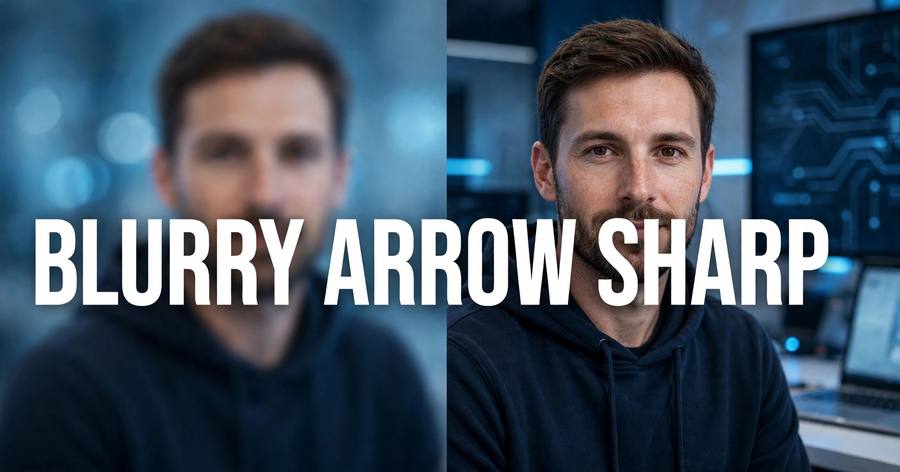
Free AI Tools That Fix Blurry Photos in Seconds (2026 Guide)
Blurry photos used to be a lost cause. You either lived with the soft, grainy mess or paid for Photoshop and spent an hour fiddling with sliders. In 2026, that changed: free AI tools can now analyze a blurry image, reconstruct the missing detail, and hand you back a sharp photo in under a minute.
I tested the current crop of free options this week. Here’s what’s real, what’s hype, and the exact 3-step process to fix your own photos.
How AI photo fixing actually works
Traditional “sharpen” filters just boost contrast along edges — they can’t invent detail that isn’t there, which is why old sharpening looks crunchy and fake.
AI enhancers work differently. They’re trained on millions of pairs of blurry and sharp images, so when they see your blurry photo, they recognize the pattern — a face, text, a landscape — and reconstruct what the sharp version most likely looked like. Two techniques do most of the work:
- Denoising and deblurring: the model separates the actual scene from motion blur, camera shake, and sensor noise.
- Upscaling (super-resolution): the model rebuilds the image at 2x or 4x resolution, filling in plausible fine detail like hair strands or fabric texture.
The result genuinely looks like a better photo, not a filtered one. It’s not perfect — tiny text and complex backgrounds can still come out slightly “dreamy” — but for portraits, product shots, and old scanned photos, the improvement is dramatic.
The free tools worth using
For a quick one-off fix: browser-based AI enhancers are the fastest path. Upload the photo, wait 10–30 seconds, download the result. Most give you a few free enhancements per day without an account, which is plenty for personal use.
For old or damaged photos: look for tools with a dedicated “restore” mode. These handle the harder cases — faded colors, scratches on scanned prints, heavy compression artifacts from photos saved and re-saved in messaging apps.
For maximum quality: desktop upscalers like the free, open-source Real-ESRGAN produce the cleanest 2x/4x enlargements. They take a little setup, but if you’re preparing images for print or for sale on stock sites, the quality difference is worth it.
One honest caveat: “free” usually means a daily limit or a watermark on the free tier. For casual use that’s fine. If you’re processing hundreds of images, that’s when a paid plan starts making sense.
Fix your photo in 3 steps
Step 1 — Pick the right starting file. Use the original, highest-resolution copy you have. A photo pulled from a chat app has already been compressed, and the AI has less to work with. Check your camera roll or cloud backup first.
Step 2 — Run the enhancement. Upload to your chosen tool, select the enhancement or “unblur” mode, and let it process. Don’t stack three different enhancers on the same image — one good pass beats three mediocre ones, and repeated processing adds artifacts.
Step 3 — Compare and fine-tune. Toggle the before/after view. Zoom to 100% on faces and text. If skin looks waxy or backgrounds look smeared, dial the enhancement strength down one notch — subtle usually beats maximum.
Who this is actually for
- Sellers and freelancers: sharper product and portfolio photos directly lift click-through rates.
- Families: old scanned photos and blurry phone shots of kids are the most common use case, and the results genuinely surprise people.
- Content creators: thumbnails and social posts from slightly-soft footage stills clean up nicely.
The bottom line
AI photo enhancement crossed the line from gimmick to genuinely useful. The free tier of any major tool handles the everyday cases — blurry portraits, shaky shots, old scans — in under a minute, with no software to install and no design skills required.
Try it on your worst photo first. That’s the one that will convince you.
Related reading: How to Clone Your Voice with ElevenLabs AI and Perplexity vs Google: Which Answers Better?
FAQ
Is it really free? Yes, for light use. Most tools offer several free enhancements per day; heavy users eventually hit a paywall.
Can AI fix any blurry photo? Almost any, but extreme blur — where the subject is unrecognizable — gives the AI too little to work with. Moderately blurry photos see the biggest gains.
Does it work on old scanned photos? Yes — this is one of the strongest use cases. Restoration modes handle fading, scratches, and grain alongside blur.
Pingback: How to Clone Your Voice with ElevenLabs AI (2026 Guide) - SAJU'S WORLD
Pingback: Perplexity vs Google: Which Answers Better? (2026) - SAJU'S WORLD